Over the years I’ve heard from so many of you about reaching the end of one of my books, and not wanting to say goodbye. Well, now I am revisiting stories from the past and I want to share them here with you in my new digital magazine, Welcome Home. Along with a short story, each month’s issue will include articles, guest authors, recipes, projects, devotionals and more!
I can say without reservation that a great deal of love, talent, and passion went into this project and I hope that when you dive into it, you find yourself right at home.
Once you’ve clicked on the link to purchase your edition of Welcome Home, you will be prompted to pay for the issue.
Step 2
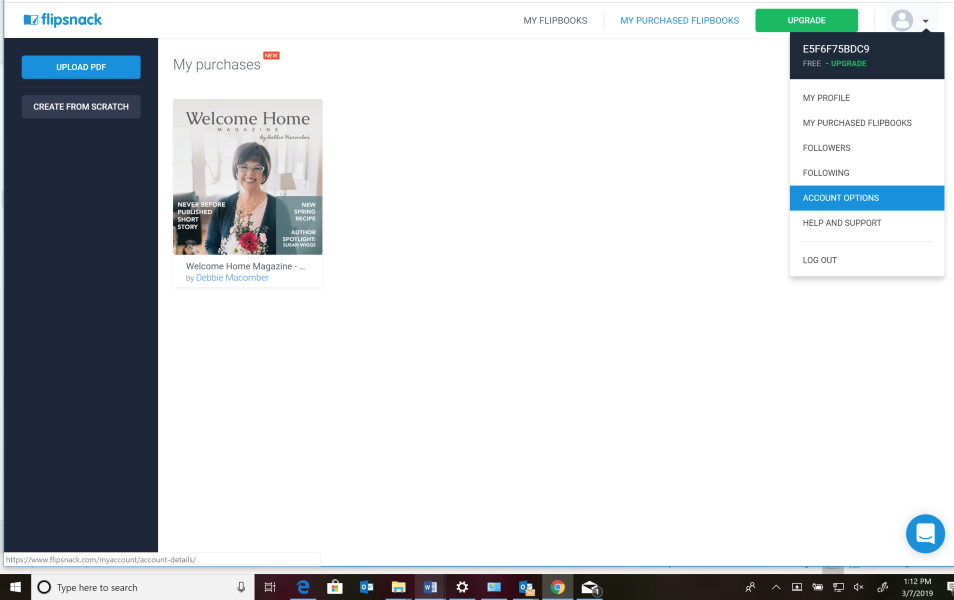
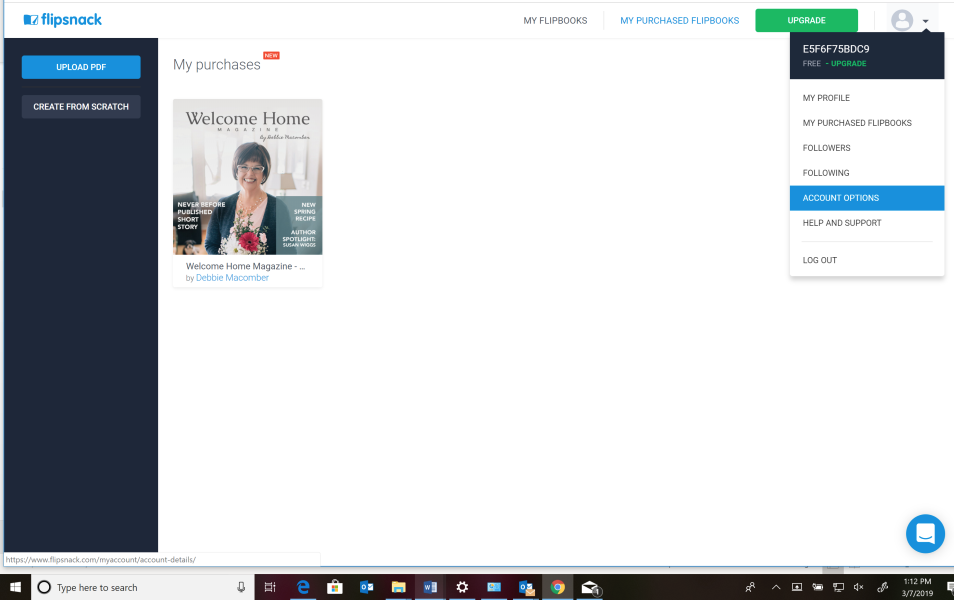
Flipsnack creates an account for you and you can immediately begin viewing your magazine. Before you exit, be sure to finish setting up your account using account options under the dropdown. This will allow you to come back and view purchased issues.
Step 3
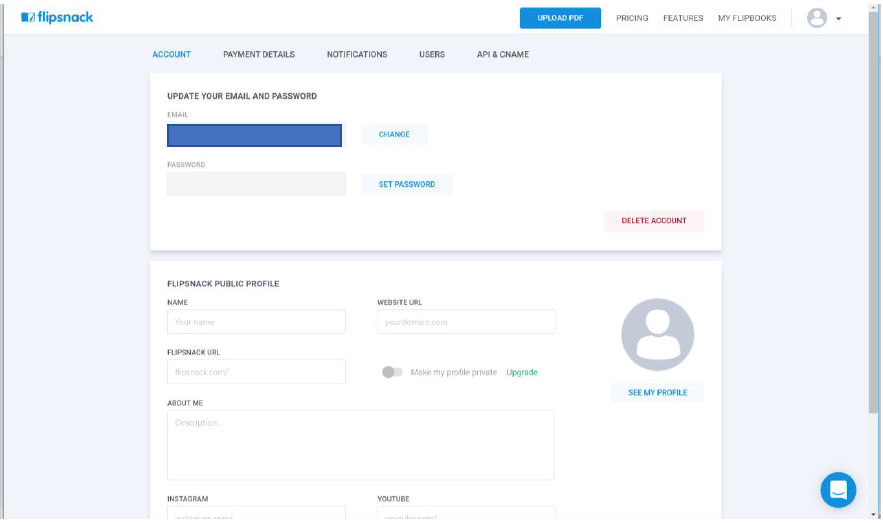
Once you click through to account options it will use your email that you entered to make your purchase and ask you to create a profile and password.
Step 4
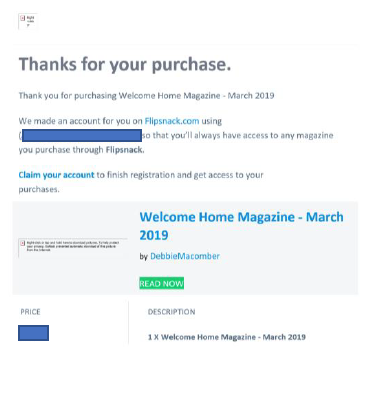
Don’t worry you will also receive an email from flipsnack in case you miss this process and need to go back in to set up your account or read your magazine.
Step 5
Once you make your purchase you may begin reading!
RETURNING USERS
Step 1
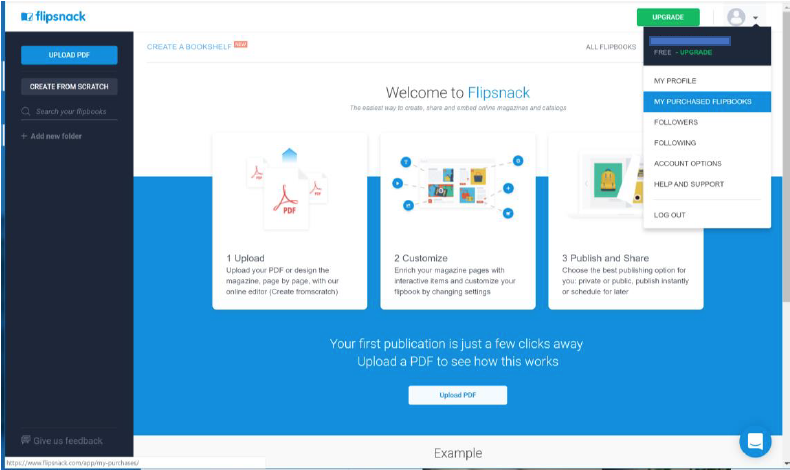
When you return to flipsnack.com to read or re-read your magazine, you will need to sign in to your account. Once signed in, you can click on your profile icon in the top right corner of the screen and select, “My Purchased Flipbooks”. This will give you access to read all of your purchased content.